
Apt-fast - turbinando o apt-get em distros Debian-like
Este artigo visa a alterar a forma como o apt-get do Debian e derivados se comporta ao baixar e instalar pacotes.

Introdução
Este artigo visa alterar a forma como o apt-get do Debian Linux e derivados se comporta ao baixar e instalar pacotes. O apt-fast nada mais é do que um script que utiliza o acelerador de downloads "axel", disponível no repositório oficial do Debian.
Após adotá-lo como padrão, notei que os downloads do pacotes ficaram muuuuito mais rápidos. Segundo o autor do script, às vezes o download fica mais rápido em até 26 vezes. Acho que não chega a tanto, mas ressalto que é muito útil.
Primeiro, vejamos a instalação do acelerador de downloads "axel":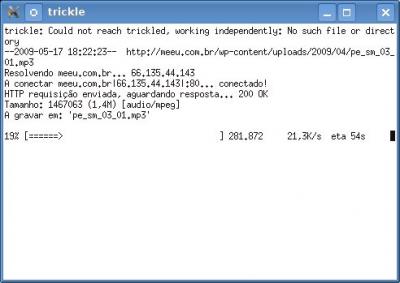 apt-get install axel ou aptitude install axel
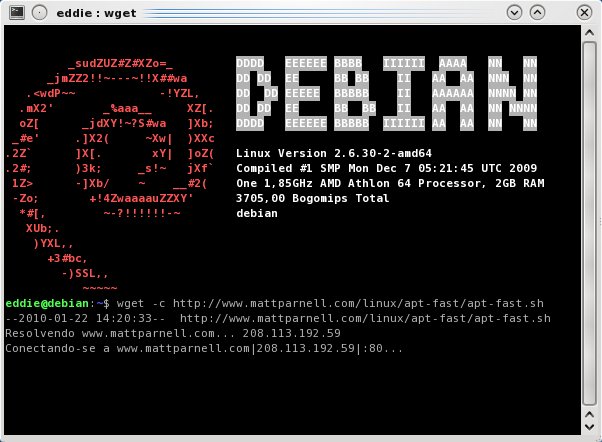
Agora, fazemos o download do script apt-fast: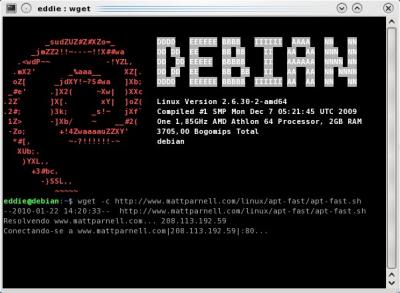 wget -c http://www.mattparnell.com/linux/apt-fast/apt-fast.sh
sudo cp apt-fast.sh /usr/bin/apt-fast
$ sudo chmod +x /usr/bin/apt-fast
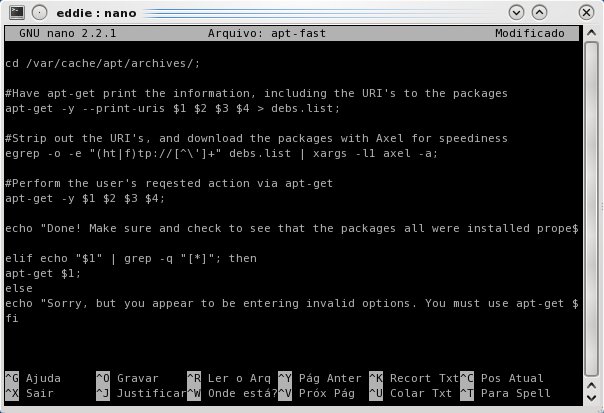
Vamos criar o script apt-fast (opcional):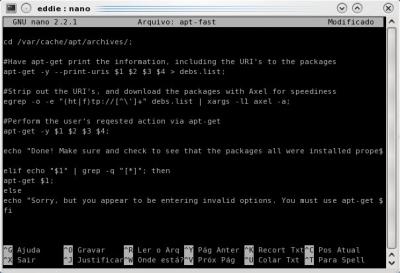 nano apt-fast
Cole o conteúdo abaixo dentro do arquivo, em seguida tecle CTRL+O (enter) e CTRL+X (sair).
nano apt-fast
Cole o conteúdo abaixo dentro do arquivo, em seguida tecle CTRL+O (enter) e CTRL+X (sair).
Agora retornaremos ao apt-fast executável e o moveremos para a pasta /usr/bin.
sudo chmod +x apt-fast & sudo mv apt-fast /usr/bin
Após adotá-lo como padrão, notei que os downloads do pacotes ficaram muuuuito mais rápidos. Segundo o autor do script, às vezes o download fica mais rápido em até 26 vezes. Acho que não chega a tanto, mas ressalto que é muito útil.
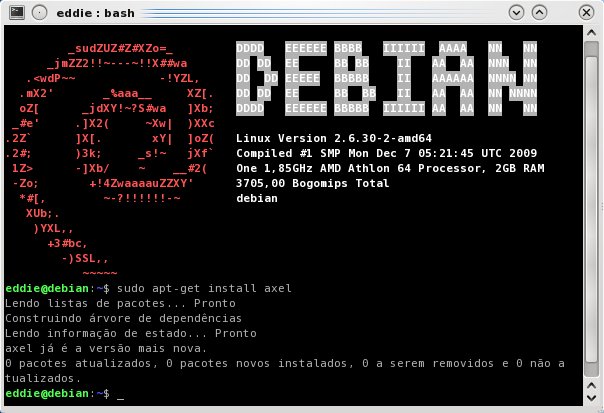
Primeiro, vejamos a instalação do acelerador de downloads "axel":
Agora, fazemos o download do script apt-fast:
sudo cp apt-fast.sh /usr/bin/apt-fast
$ sudo chmod +x /usr/bin/apt-fast
Vamos criar o script apt-fast (opcional):
#!/bin/sh
#apt-fast by Matt Parnell http://www.mattparnell.com , this thing is FOSS
#please feel free to suggest improvements to admin@mattparnell.com
# Use this just like apt-get for faster package downloading. Make sure to have axel installed
#If the first user entered variable string contains apt-get, and the second string entered is either install or dist-upgrade
if echo "$1" | grep -q "[upgrade]" || echo "$2" | grep -q "[install]" || echo "$2" | grep -q "[dist-upgrade]"; then
echo "Working...";
#Go into the directory apt-get normally puts downloaded packages
cd /var/cache/apt/archives/;
#Have apt-get print the information, including the URI's to the packages
apt-get -y --print-uris $1 $2 $3 $4 > debs.list;
#Strip out the URI's, and download the packages with Axel for speediness
egrep -o -e "(ht|f)tp://[^\']+" debs.list | xargs -l1 axel -a;
#Perform the user's reqested action via apt-get
apt-get -y $1 $2 $3 $4;
echo "Done! Make sure and check to see that the packages all were installed properly. If a package is erred, run sudo apt-get autoclean and try installing it again without the use of this script.";
elif echo "$1" | grep -q "[*]"; then
apt-get $1;
else
echo "Sorry, but you appear to be entering invalid options. You must use apt-get and one of apt-get's options in order to use this script.";
fi
#apt-fast by Matt Parnell http://www.mattparnell.com , this thing is FOSS
#please feel free to suggest improvements to admin@mattparnell.com
# Use this just like apt-get for faster package downloading. Make sure to have axel installed
#If the first user entered variable string contains apt-get, and the second string entered is either install or dist-upgrade
if echo "$1" | grep -q "[upgrade]" || echo "$2" | grep -q "[install]" || echo "$2" | grep -q "[dist-upgrade]"; then
echo "Working...";
#Go into the directory apt-get normally puts downloaded packages
cd /var/cache/apt/archives/;
#Have apt-get print the information, including the URI's to the packages
apt-get -y --print-uris $1 $2 $3 $4 > debs.list;
#Strip out the URI's, and download the packages with Axel for speediness
egrep -o -e "(ht|f)tp://[^\']+" debs.list | xargs -l1 axel -a;
#Perform the user's reqested action via apt-get
apt-get -y $1 $2 $3 $4;
echo "Done! Make sure and check to see that the packages all were installed properly. If a package is erred, run sudo apt-get autoclean and try installing it again without the use of this script.";
elif echo "$1" | grep -q "[*]"; then
apt-get $1;
else
echo "Sorry, but you appear to be entering invalid options. You must use apt-get and one of apt-get's options in order to use this script.";
fi
Agora retornaremos ao apt-fast executável e o moveremos para a pasta /usr/bin.
sudo chmod +x apt-fast & sudo mv apt-fast /usr/bin
Parabéns!
Simples e direto...
Abraço